No-Code vs Custom Development: Which Is Right for Your Startup?
No-code tools like Bubble and Webflow are fast and cheap — until they aren't. Here's an honest breakdown of when no-code wins, where it hits its ceiling, and when custom development is the right call.

This article may contain affiliate links. See our Disclaimer for details.
No-code tools have genuinely changed what's possible for non-technical founders. You can launch something real — with real users, real data, and real workflows — without writing a single line of code. That's not marketing copy; it's true, and the platforms have earned that reputation.
The question isn't whether no-code works. It's whether it works for what you're building, at the stage you're at, for the scale you're aiming for. The honest answer to the no-code vs custom development question depends on three things: where you are in validation, how complex your core logic is, and how far you need to grow before a rebuild becomes expensive.
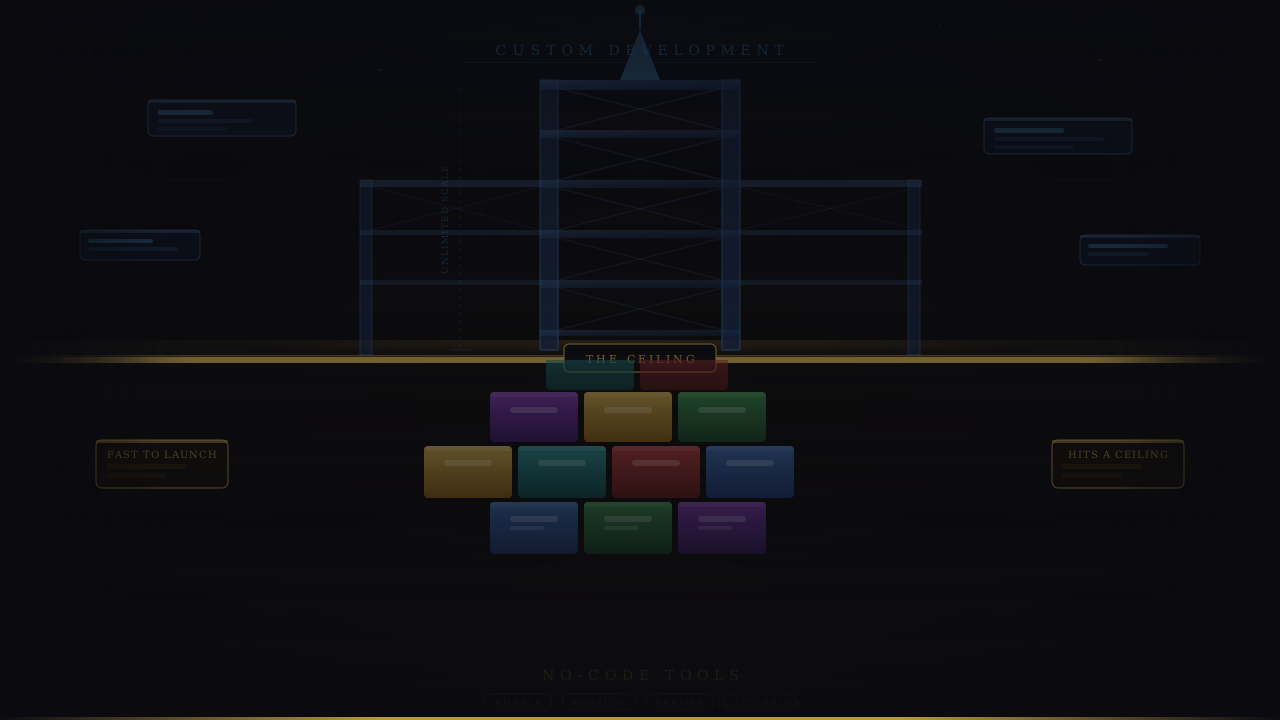
For early-stage MVPs and validation, no-code is often the right tool. For anything that needs to scale, integrate deeply with third-party systems, or behave in ways the platform doesn't support natively — custom development wins. What follows is a practical framework for making that call, including the specific signals that tell you it's time to make the switch.
What No-Code Actually Is (and What It Isn't)
No-code platforms are visual development environments that let you build functional applications — databases, user authentication, workflows, UI — without writing code. You configure logic through drag-and-drop editors, visual conditional rules, and pre-built connectors rather than programming languages.
That's meaningfully different from "low-code" (which still requires some scripting) and from template-based website builders like Squarespace (which don't let you build real application logic at all).
The Platforms Worth Knowing in 2026
Not all no-code tools are interchangeable. Each has a specific strength:
- Bubble — the most capable no-code platform for web applications. Handles user authentication, relational databases, API integrations, and complex multi-step workflows. The go-to for marketplace and SaaS MVPs.
- Webflow — primarily a marketing site and CMS builder. Excellent for visual design and content management, not suited for application logic.
- FlutterFlow — visual builder for Flutter-based mobile apps. Generates actual Flutter code, which means a migration path exists.
- Adalo — simpler mobile app builder, better suited for internal tools and low-complexity consumer apps than FlutterFlow.
- Glide — builds data-driven apps from Google Sheets or Airtable. Ideal for internal tools, portals, and simple consumer apps where data already lives in a spreadsheet.
- Softr — builds client portals and membership sites on top of Airtable. Strong for B2B tools that don't need complex logic.
What No-Code Genuinely Does Well
The criticism that no-code is a toy for non-serious products is outdated. A well-built Bubble app in 2026 can handle thousands of users, support complex multi-role workflows, and integrate with most major APIs via Bubble's connector ecosystem or Zapier bridges.
The real advantages are speed and founder control. You can go from idea to live product in two to four weeks — and then change it the next day without waiting on a developer. For validation, that speed advantage is the whole point.
The No-Code vs Custom Development Decision Framework
Use no-code if:
- You're validating an idea and need something live in 2–4 weeks
- Your budget is under $10,000 and you can't yet justify a larger build
- Your product's core logic can be expressed in a visual editor without workarounds
- You need to iterate quickly and your early users will tolerate rough edges
- Your product is primarily a wrapper around existing data or simple workflows
Choose custom development if:
- Your core business logic is genuinely complex — conditional pricing engines, ML inference, real-time matching, multi-tenant SaaS architecture
- You've already hit the no-code platform's limits: performance degrading, row caps reached, API rate limits becoming a constraint
- You need deep integrations with third-party systems the platform doesn't support natively
- You need full ownership of your codebase and can't accept vendor lock-in risk
- You're raising a Series A or beyond and investors are asking about your technical foundation
The hybrid path worth considering: Build the MVP in no-code, validate with real users, then rebuild in custom once you've proven demand. Many successful products took exactly this route. The no-code version served its purpose — it got you to evidence. The custom version serves the next purpose: scaling on that evidence.
The question isn't which is better. It's which is right for where you are right now.
The mistake founders make is treating this as a binary, permanent choice. It isn't. No-code and custom development are tools for different stages. Using the right one at the right time is the actual strategy. If you are also working through the web app vs mobile app question at the same time, the web app vs mobile app breakdown covers that decision in the same practical framework.
Not sure where your idea sits on this spectrum? I work through this question with founders regularly — a 30-minute conversation is usually enough to give you a clear answer. Book a free call →
Where No-Code Hits Its Ceiling
Most articles soften this part. Here's where no-code platforms actually break down — specific, not theoretical.
Performance at Scale
Bubble's built-in database is not optimised for high query volume. At low user counts, it's fine. Push toward 5,000–10,000 concurrent users and you start hitting query timeouts, slow page loads, and capacity limits that can't be resolved by upgrading your plan — they're architectural, not a billing tier issue.
This isn't a criticism of Bubble specifically. It's the nature of the abstraction. No-code platforms optimise for flexibility and ease of use, not for the query patterns that emerge at scale. A custom backend built on Node.js with a properly indexed PostgreSQL database will outperform a Bubble app at every significant traffic level.
Complex Business Logic
Multi-step conditional workflows, custom pricing engines, real-time matching algorithms, and anything requiring recursive logic or dynamic rule evaluation are genuinely painful to build in visual editors. You can approximate some of this with Bubble's conditional logic and Zapier chains — but the workarounds compound quickly.
The tell is when your no-code developer starts saying things like "we can simulate that with a workaround." Every workaround is technical debt that doesn't show up in a codebase. It shows up in your development timeline and your ability to change things later. Every migration from a no-code platform I have been involved in has started with exactly this pattern — a handful of workarounds that seemed minor at the time, compounding into a system that nobody wants to touch.
Third-Party Integrations
If your core feature depends on an API integration the platform doesn't have a pre-built connector for, you're either writing custom API calls in Bubble's API connector (which works, but has limits) or routing everything through Zapier/Make (which adds latency and cost at scale).
Some integrations simply aren't possible on no-code platforms at all — particularly anything requiring persistent WebSocket connections, binary file processing, or complex OAuth flows with unusual token structures.
Vendor Lock-In and Portability
You cannot migrate a Bubble application to React. You can't export your Webflow site to plain HTML and run it anywhere. If Bubble changes its pricing model significantly — it has, multiple times — if the platform has a major outage, or if the company eventually shuts down, you have a problem that can't be solved quickly.
FlutterFlow is a partial exception: it generates actual Flutter code that you can export. But even then, the exported code often requires significant cleanup before it's maintainable by a developer team.
Investor and Team Perception
This varies by investor, but it's real. Some investors at the seed stage are fine with a Bubble MVP — they understand what it is. Others, particularly at Series A, will ask hard questions: what's the stack, what does migration look like, who owns the codebase, what's the path to scale?
The more consequential version is the hiring problem. Senior engineers are generally reluctant to join a company where the product is built on a no-code platform. That limits your options at exactly the stage where engineering talent starts to matter most.
Cost Comparison — No-Code vs Custom Development
No-Code Platform Costs
Platform costs at the low end are genuinely cheap:
| Platform | Monthly SaaS fee | Typical build cost |
|---|---|---|
| Bubble | $29–$349/month | $5,000–$30,000 (agency) |
| Webflow | $14–$39/month | $3,000–$20,000 |
| FlutterFlow | $30/month | $8,000–$25,000 |
| Glide | $49–$99/month | $2,000–$10,000 |
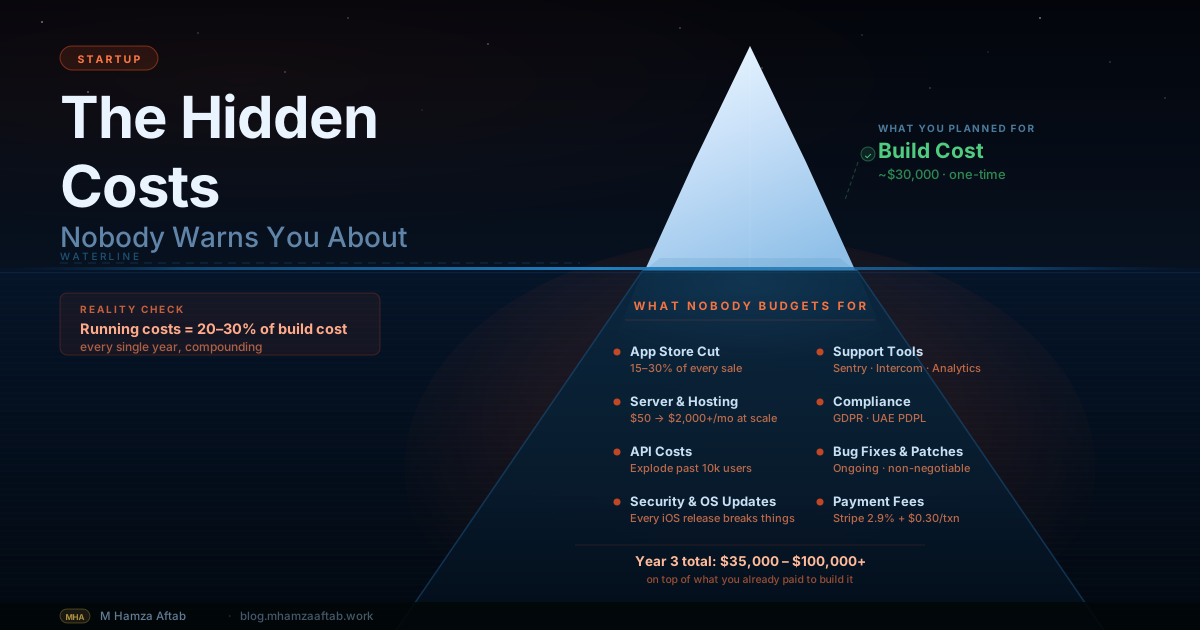
The hidden costs are where the calculus shifts. Developer time spent working around platform limitations isn't free. At scale, Bubble's capacity pricing can push monthly fees significantly higher. And a skilled Bubble developer charges $80–$150/hour — not trivially lower than a junior custom developer.
Custom Development Costs
For comparison, custom development costs from a senior independent developer typically look like this:
| Product type | Realistic cost range |
|---|---|
| Web app MVP | $8,000–$25,000 |
| Mobile app MVP | $20,000–$60,000 |
| Full-featured SaaS product | $40,000–$150,000+ |
For a detailed breakdown of MVP costs by type and budget tier, see the full MVP cost breakdown.
The Real Cost Comparison
No-code is cheaper to start. Custom development is cheaper to scale. The crossover point depends on your product, but a rough heuristic: around $50,000 ARR, the operational costs of running a no-code platform — monthly fees, developer time on workarounds, performance overhead — often approach or exceed what a custom build would have cost to maintain.
The "no-code is free" assumption only holds at zero scale. Factor in the cost of a full rebuild — which many founders face at exactly the wrong time, when they're trying to hire, raise, or grow — and the calculation shifts considerably.
Real Startup Examples — No-Code Done Right and Done Wrong
Done right — marketplace validation: A founder used Bubble to build a two-sided marketplace connecting freelance graphic designers with small businesses. Three weeks, $4,000 through a Bubble agency. Within two months: 200 designers, 80 buyers, 40 completed transactions. Enough to raise a pre-seed round. The rebuild in Next.js and Node.js started at month four, with actual revenue and a cap table already in place. No-code did exactly what it was supposed to do.
Done right — client portal: A management consultant built a project dashboard for clients using Webflow, Airtable, and Zapier. Clients log in, see project status, download deliverables, and submit feedback. It handles around 50 active users. Three years later, it still works exactly as designed — because the complexity never grew beyond what those tools were built for. A rebuild would have cost money for no improvement the clients would ever notice.
Done wrong — premature scale: A founder built a two-sided marketplace in Bubble, raised a $600,000 seed round, and hired a marketing team. At 5,000 users, the Bubble database started timing out on complex queries. The founders I've seen get burned like this all share the same problem: they planned for the marketing and not the infrastructure. The performance issues took eight months to diagnose properly — eight months of stalled user growth — before a rebuild started. It cost $80,000 and six months, at the worst possible time.
Done wrong — logic mismatch: A B2B SaaS founder tried to build a subscription pricing engine in Bubble's conditional logic editor. Tiered pricing with usage-based overages, team member limits, and promotional discount stacking. Eight weeks and many workarounds later, the logic was still brittle and couldn't handle edge cases. A senior developer rebuilt it in Next.js and Node.js in three weeks. The problem wasn't execution — the founder was smart and the Bubble developer was competent. The problem was that the tool simply wasn't designed to express that logic. Recognising that distinction early would have saved six weeks and significant frustration.
When to Move From No-Code to Custom Development
These are observable events, not principles:
- Platform performance is degrading under real user load — pages are slow, queries are timing out, and your no-code developer's response is "we're near the plan limits."
- You've spent more than 40 hours working around a single platform limitation — when workarounds consume more time than features, the platform is working against you.
- A core new feature is impossible to build on the platform. Not just difficult. Not just expensive. Genuinely impossible. That's a hard ceiling.
- You're about to raise funding and investors have asked about your tech stack — if the question comes up in a term sheet conversation, the time to have answered it was six months earlier.
- Your no-code developer is spending more time on maintenance than on new features — compounding workarounds slow down development over time. At some point, the accumulated debt exceeds the cost of starting fresh.
If you're approaching signal #3 or #4, it's worth understanding what goes into building an MVP properly before you brief a custom developer — the scoping decisions you make at that point will determine whether the rebuild costs $20,000 or $80,000.
If you are already seeing one of these signals and want a second opinion on whether you have actually hit the ceiling or are still in fixable territory, feel free to run your situation past me — I will give you an honest read with no agenda either way.
How to Choose a Developer When You're Ready to Go Custom
When you've decided no-code has reached its limit, the next question is who builds the replacement.
What to look for: Experience with your specific stack (React, Next.js, Node.js for most web products), a portfolio of shipped products rather than design mockups, and communication habits that match how you want to work. Technical skill matters — but the ability to scope work accurately and communicate trade-offs honestly matters just as much. You will feel this difference on the second or third revision cycle.
What to avoid: Developers who promise everything fast and cheap. Any senior developer who can see the full scope of what you need will give you honest estimates. If the quote seems suspiciously low, the assumptions behind it are probably wrong — and you'll discover exactly which ones when the project is halfway done.
The freelance vs. agency question is worth thinking through carefully — the trade-offs in cost, accountability, and process are real. The freelance developer vs. agency breakdown covers that decision in detail.
Once you have a candidate in mind, the developer hiring checklist covers exactly what to verify before you sign a contract — including the seven questions worth asking on a first call, and the contract clauses that protect you if things go sideways.
Frequently Asked Questions
Is no-code good enough for a startup?
For validation and early-stage MVPs, yes — often completely. No-code tools like Bubble and Webflow have matured significantly, and a well-built Bubble app can handle real users, complex workflows, and meaningful transaction volumes. The limitation isn't quality; it's ceiling. No-code is good enough until your product's requirements exceed what the platform was designed to do.
Can a no-code app scale?
To a point. Bubble can comfortably handle thousands of users for most use cases. The ceiling depends on your database query complexity and concurrent user load. Products with simple data models and moderate traffic can run on Bubble indefinitely. Products with complex relational queries or high concurrent load will hit performance limits before reaching meaningful scale — and the frustrating part is that you usually don't know which category you're in until the limits appear.
How much cheaper is no-code than custom development?
To start, significantly cheaper. A Bubble MVP built by a competent agency might cost $8,000–$15,000 versus $20,000–$40,000 for a comparable custom build. The gap narrows as you scale — platform fees, workaround developer time, and the eventual rebuild cost close the difference. For products that stay simple and low-volume, no-code is genuinely cheaper long-term. For products that grow, the math often reverses around $50,000–$100,000 ARR.
What is the best no-code platform for startups in 2026?
For web applications with real backend logic, Bubble remains the strongest option. For marketing sites and CMS-driven content, Webflow. For mobile apps where you want an eventual migration path, FlutterFlow — it generates actual Flutter code. For data-driven internal tools built on existing spreadsheets, Glide. The right answer depends on what you're building more than on which platform has the best reputation.
When should I stop using no-code and hire a developer?
The clearest signal is when a core feature your users need is impossible — not expensive, not slow, but impossible — to build on the platform. Other strong signals: platform performance degrading under real load, 40+ hours spent on workarounds for a single limitation, and investor conversations where your tech stack is being scrutinised. Any one of these is a reasonable trigger. Two of them at once and you're already behind.
Can investors tell if my app is built on no-code?
Experienced technical investors usually can — either by asking directly or by having a technical advisor review the product. Whether they care depends on the stage. Seed-stage investors who back non-technical founders often accept a Bubble MVP as validation evidence. Series A investors, particularly those with technical backgrounds, tend to ask harder questions about migration path, scalability, and engineering hire-ability. By the time you're raising a Series A, you should have a clear answer ready — and if your answer is still "it's on Bubble and we haven't started the rebuild," that's a conversation worth having before it comes up in a term sheet.
Ready to Go Beyond No-Code? Let's Build It Right.
Most founders I talk to have already tried no-code, or are seriously considering it. The honest advice: try it. If it gets you to product-market fit, it did its job. A Bubble MVP that proves demand is worth more than a perfectly architected custom product that's still in development while your competitors are shipping.
The founders who get into trouble are not the ones who chose no-code — they're the ones who didn't notice when no-code stopped serving them. They kept adding workarounds, kept absorbing performance hits, and arrived at the rebuild conversation six months later than they should have, with more to unpick and less runway to do it.
If you've hit the ceiling — or you can already see that your idea requires something no-code can't deliver — that's the right moment to have a clear conversation about what a custom build would actually involve. Not a sales process, not a proposal deck. Just an honest scope discussion so you know what you're deciding.