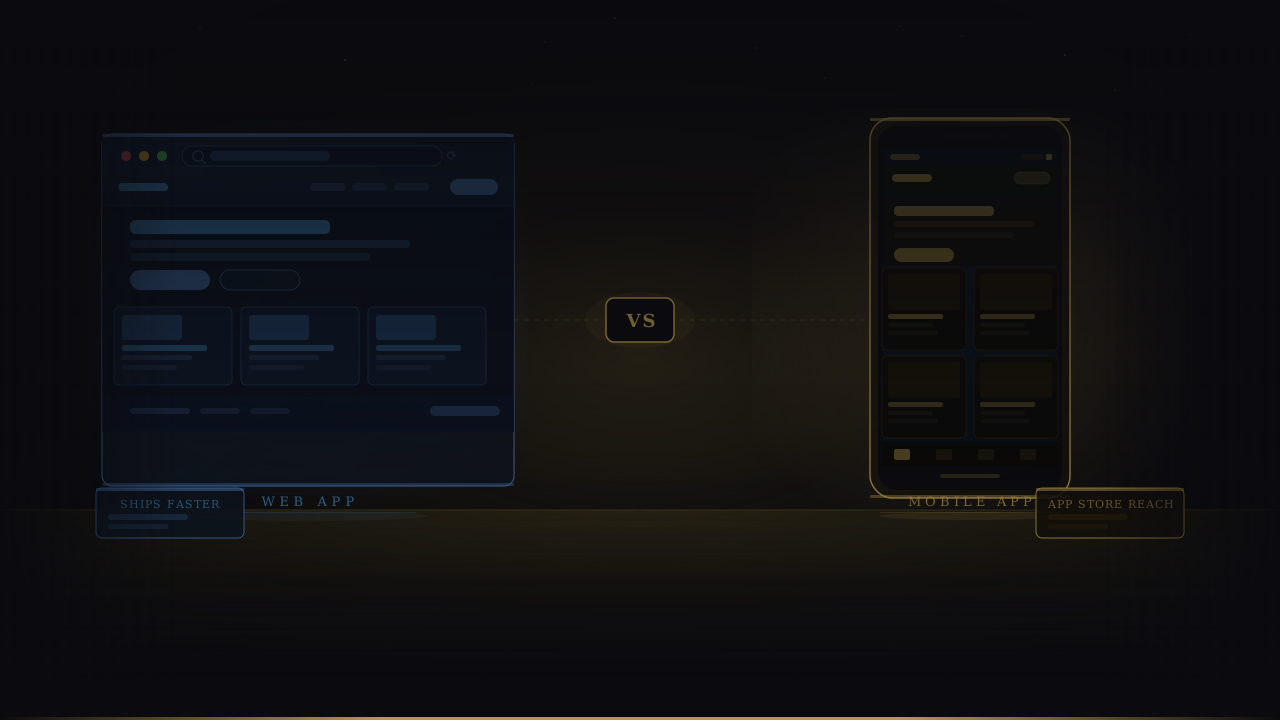
Web App vs Mobile App: Which Should Your Startup Build First?
Web app or mobile app? This honest comparison covers costs, timelines, and a clear decision framework — so you know which to build first before you talk to a developer.

This article may contain affiliate links. See our Disclaimer for details.
Every week, founders ask some version of the same question: should we build a web app or a mobile app first? The answer they usually get is a pros-and-cons list that leaves them exactly where they started — uncertain, slightly more confused, and no closer to making a call.
The web app vs mobile app decision has a correct answer for most early-stage startups. That answer comes from your budget, your users, and what you're actually trying to prove in the next 90 days. For the majority of founders still validating their idea, a web app or progressive web app is the right first move. There are specific conditions under which native mobile wins — and those conditions are worth knowing precisely, because a wrong platform choice at this stage is an expensive lesson.
What Is the Difference Between a Web App and a Mobile App?
A web app runs in a browser and is accessed via a URL, while a native mobile app is downloaded from the App Store or Google Play and runs directly on a device's operating system. A progressive web app (PWA) sits between them — it's a browser-based application that can be installed on a home screen and access some device features without going through an app store.
Web Apps Explained
Web apps live at a URL. Users access them through any browser — Chrome, Safari, Firefox — on any device. No download, no app store approval, no per-platform build. You ship once and everyone can use it.
The technical stack for most web apps in 2026: a React or Next.js frontend, a Node.js or Python backend, and a cloud host like Vercel or AWS. Development cost is typically lower than mobile because you're building for one target (the browser) rather than two (iOS and Android).
The tradeoff is capability. Web apps don't have deep access to device hardware by default. Camera access, GPS, push notifications, and Bluetooth all have workarounds in modern browsers, but none of them are as clean or as capable as what a native app gets out of the box.
Native Mobile Apps Explained
Native apps are built specifically for iOS, Android, or both. Distributed through the App Store and Google Play, installed locally on the device, they have full access to device hardware — camera, GPS, accelerometer, Face ID, Bluetooth, health sensors, and more.
The performance ceiling is higher. The UX can be tuned to platform conventions in a way web apps can't fully replicate. And for certain products — food delivery, ride-hailing, fitness tracking — the native experience isn't separate from the product. It is the product.
The cost reflects that. Building for both platforms either means two separate codebases (Swift for iOS, Kotlin for Android) or a cross-platform framework like React Native or Flutter, which cuts cost but adds its own complexity. Either way, you're adding QA surface, device fragmentation testing, and app store review cycles to your timeline.
The Third Option — Progressive Web Apps (PWAs)
A PWA is a responsive web application built with modern browser APIs that allow it to behave more like a native app: installable from the browser, capable of push notifications on supported platforms, able to work offline with a service worker, and loadable with a splash screen.
PWAs are often the right answer for startups that need something better than a plain web app but aren't ready for the cost and complexity of native mobile. The limitations are real — iOS Safari still restricts some PWA capabilities, and they can't be submitted to the App Store in the traditional sense — but for many B2B tools, content platforms, and early-stage consumer apps, a PWA closes the gap more than most founders expect.
Web App vs Native App vs PWA: Quick Comparison
| Feature | Web App | Native App | PWA |
|---|---|---|---|
| Distribution | URL / browser | App Store / Play Store | URL + home screen install |
| Relative cost | Lower | Higher | Lower–Medium |
| Offline support | Limited | Full | Partial (service worker) |
| Push notifications | Browser only | Full native | Partial (iOS limited) |
| Device hardware access | Limited | Full | Partial |
| App store presence | No | Yes | No (mostly) |
| Time to first user | Days–weeks | Weeks–months | Days–weeks |
The Decision Framework — Which Platform Should Your Startup Choose?
Stop collecting factors. Apply logic.
If your budget is under $20,000 — build a web app or PWA first. Native mobile development for both platforms below this threshold typically means you're paying for an MVP that's under-built, over-promised, or both. A web app in this range can be genuinely solid. A mobile app in this range is usually a proof of concept with rough edges you'll spend your next funding round fixing.
If your core feature requires camera, GPS, or Bluetooth — native mobile is justified. A ride-sharing app, a real-time location tracker, a Bluetooth-powered device companion: these are use cases where browser APIs won't cut it and you need the hardware access that only native provides.
If your users are mobile-heavy and push notifications drive retention — native mobile earns its premium. In consumer apps where daily habits are the product (fitness, journaling, social, habit tracking), push notifications aren't a nice-to-have. They're the mechanism for re-engagement. Browser push is improving, but native push is still more reliable and more effective, especially on iOS.
If you're still validating your idea — build web. The cheapest way to prove that people want what you're building is a responsive web application that real users can access from any device without installing anything. Validate the demand first. Then build the platform that demand deserves.
If you already have product-market fit and users are asking for an app — build mobile now. When your web users are repeatedly asking "do you have an app?", that's a signal worth acting on. At this stage, native mobile is an expansion move, not a gamble.
Most startups that ask this question are still validating. Build web first. Build mobile when users ask for it.
Working through this exact decision right now? Most of the founders I talk to at this stage have already made up their minds — but they want a second opinion before they commit budget to it. I offer free 30-minute calls for founders at this point in the process. No pitch, just a straight answer on which platform makes sense for your specific product. Book a time →
Cost Comparison — Web App vs Mobile App
How Much Does a Web App Cost to Build?
A simple web app — authentication, a core workflow, basic CRUD operations — typically runs $5,000–$15,000 with an experienced developer. Once you add complex features like real-time data, payment processing, multi-user roles, or third-party integrations, you're looking at $15,000–$50,000 for a full-featured product.
These ranges assume a lean build: one or two developers working from a clear spec, without a large agency overhead layer. For a detailed breakdown by product type and complexity tier, see the full MVP cost breakdown.
How Much Does a Native Mobile App Cost to Build?
A single-platform mobile MVP (iOS only or Android only) built with a cross-platform framework like React Native typically costs $15,000–$40,000. Building for both platforms with a cross-platform approach runs $20,000–$60,000. Separate native codebases (Swift + Kotlin) for both platforms can push north of $80,000 for anything non-trivial.
For Dubai and UAE-specific pricing including local developer rates and hidden costs specific to the Gulf market, the mobile app development costs in Dubai breakdown covers this in detail.
What Makes Mobile Development More Expensive?
Three factors compound the cost in ways founders consistently underestimate.
Two platforms mean double QA. Every feature needs to be tested on multiple iOS device sizes and multiple Android manufacturers with different screen densities, OS versions, and hardware behaviours. What works on an iPhone 15 Pro may behave differently on a Samsung Galaxy A-series running Android 12. That fragmentation costs time — more of it than any initial quote will tell you.
App Store fees and compliance add overhead. An Apple Developer account costs $99/year. You need to comply with App Store Review Guidelines, which can require changes to your design, payment implementation, or data handling. First-time submissions are rejected roughly 30–40% of the time for minor guideline violations. Each rejection adds 1–7 days to your timeline.
Updates ship slower. On the web, you push an update and users see it instantly. On native mobile, every update goes through app store review. Bug fixes that would take an afternoon on a web app can take a week to reach users on iOS.
Timeline Comparison — Which Is Faster to Launch?
Web App Timelines
No App Store approval. No device fragmentation testing. One deployment target. A web MVP typically takes 6–12 weeks from a clear spec to a live product with real users on it. Even complex web applications rarely exceed 16–20 weeks for the initial launch, unless the feature scope is unusually large or the team is large and asynchronous.
The deployment cycle is also faster post-launch. Teams using Vercel or similar platforms can ship multiple updates in a single day — which matters enormously when you're iterating based on early user feedback.
Mobile App Timelines
The baseline mobile MVP — a focused set of features, one platform, React Native — runs 10–20 weeks. Add a second platform or switch to separate native codebases and you're looking at 20–32 weeks before a production-ready app is in user hands.
On top of development time, factor in:
- iOS review: 1–7 business days per submission, with no guarantee of approval
- TestFlight distribution: each beta build also goes through review (usually faster, but not instant)
- Device testing: minimum 8–10 physical and emulated device combinations for a credible mobile QA pass
- Crash reporting setup: tools like Sentry or Firebase Crashlytics need integrating before you go live
For a full phase-by-phase breakdown of what takes time in app development — including Dubai-specific delays like Ramadan scheduling and local payment gateway integration — see how long app development actually takes.
When Native Mobile Is the Right Choice
There are five genuine cases where building mobile first is the correct call — not impatience, but a genuine strategic fit.
1. Location-aware or camera-heavy products. Food delivery, ride-hailing, dating apps, real-estate tours, field service tools — the core value proposition depends on GPS accuracy, camera quality, or real-time location sharing that browser APIs cannot match reliably.
2. Gen Z or emerging market audiences with low desktop penetration. In markets where the smartphone is the primary — and sometimes only — computing device, a web-first strategy misses your users where they actually are. This is especially relevant for consumer apps targeting Sub-Saharan Africa, South and Southeast Asia, or younger demographics globally.
3. App Store discovery is a primary acquisition channel. Games, fitness apps, productivity tools, and reference apps all benefit from App Store placement and organic search within the store. If your go-to-market strategy includes App Store Optimization (ASO) as a meaningful channel, you need to be in the store to benefit from it. You can't rank in a store you're not listed in.
4. Offline functionality is core to the value proposition. Field inspection tools, construction site management, remote area applications, aviation checklists — if your product must work without a reliable internet connection, native mobile with a proper offline-first architecture is the technically sound choice. PWA service workers can partially address this, but for true offline-first reliability, native wins.
5. You already have validated demand and users are requesting an app. If your web product has traction and your users are asking for an app — not hypothetically, but in actual feedback and support requests — that's the clearest possible signal to build mobile. The risk is validated. The investment is justified.
The Gulf and MENA Factor — What Changes for Startups in Dubai and the Region
The web-vs-mobile decision looks different in the Gulf, and it's worth being specific about why.
WhatsApp is the primary discovery channel. Gulf users routinely share product links via WhatsApp before they search an app store. A URL that opens in a browser — web app or PWA — converts from a WhatsApp share far better than an App Store link, which requires the recipient to leave WhatsApp, open the store, download the app, and return. For awareness-stage acquisition, web wins in the GCC. This alone changes the calculus for a lot of early-stage consumer products.
Arabic RTL support is more complex on mobile. Adding a right-to-left Arabic interface to a React Native app requires additional tooling, layout overrides, and text handling that web apps handle more cleanly — especially with modern CSS logical properties and frameworks like Next.js that support RTL natively. Underestimating RTL complexity on mobile is a common budget error for first-time founders in the region. In Gulf-based projects I've worked on, it has added two to three weeks to otherwise straightforward builds — and in one case, a last-minute RTL fix pushed a client's App Store submission back by nearly a month.
UAE App Store requires a local entity. Publishing on the Apple App Store requires an Apple Developer account with a valid legal entity. For founders who haven't yet incorporated in the UAE, this adds both time and cost to the mobile-first path. A web app has no such prerequisite — you can have paying users the same week you launch.
Local payment gateway SDKs are better documented for web. Checkout.com, PayTabs, and Telr — the three most commonly used payment processors in the UAE — all have mature REST APIs and web SDK documentation. Their mobile SDKs tend to lag behind in documentation quality and community support. Integrating payments on a web app is consistently faster in the Gulf market.
The Hybrid Path — Web First, Mobile Later
The most common trajectory for successful startups isn't "web or mobile" — it's "web, then mobile when the timing is right."
Instagram launched as an iPhone-only app, which made sense in 2010 when iPhone users represented a premium, early-adopter demographic worth targeting exclusively. But Facebook, Product Hunt, and most B2B SaaS companies launched on web and built mobile later, once they understood their users well enough to know what a mobile experience should actually do.
The practical advantage of web-first is that it keeps your architecture decision-light. You learn faster, you ship faster, and you don't over-invest in a platform before you've proven that people want what you're building.
If you build your web frontend with React and keep your business logic in a separate API layer, migrating to React Native for mobile later is significantly easier. You share authentication logic, API calls, data models, and even some utility functions. The UI layer changes; the rest of your codebase doesn't have to.
The signals that tell you it's time to build mobile:
- Mobile traffic has exceeded 70% of your total sessions consistently for 60+ days
- Users are repeatedly requesting an app in feedback, support tickets, or app reviews
- A core new feature — camera, location, push — can't be delivered adequately through the browser
- Growth has plateaued on web and you've exhausted web-native growth levers
If you're at the point where one of these signals has appeared and you're weighing whether it's time to invest in mobile, feel free to run the decision past me — I'll give you an honest read on whether the timing makes sense for your specific product and user base.
For a deeper look at what to scope into your initial web build before you write a line of code, what an MVP actually is and how to build one covers the scoping process in detail.
Frequently Asked Questions
Is a web app or mobile app better for a startup?
For most early-stage startups, a web app is the better first choice. It costs less, ships faster, and lets you put something in front of real users before you've committed to a platform. Build mobile once you have product-market fit and your users are asking for it — not before, and not because a developer convinced you the app store is a growth channel.
Can a PWA replace a native mobile app?
For many use cases, yes. A well-built PWA handles offline support, push notifications, and home screen installation — which covers the majority of what founders think they need a native app for. The exceptions are products that require deep device hardware access (Bluetooth, NFC, Face ID) or that depend on App Store presence for distribution. In those cases, native mobile is still the right call. But before committing to the native build cost, it's worth actually testing whether your users notice the difference.
How much cheaper is a web app than a mobile app?
Typically 30–50% cheaper for comparable functionality. A focused web MVP runs $5,000–$15,000. A comparable mobile MVP starts at $15,000–$40,000 for a single platform. The gap widens when you factor in ongoing maintenance — web updates are instant, mobile updates go through app store review cycles that add days or weeks to every bug fix.
Do I need to be in the App Store to succeed?
No. Many successful SaaS companies and B2B platforms have never had an App Store presence. Whether you need to be in the store depends entirely on your acquisition strategy. If organic app store search or app store editorial features are part of your growth plan, you need to be there. If your users come through search, social, and word of mouth, a web app or PWA reaches them just as well — and gets to them faster.
How long does it take to build a web app vs a mobile app?
A web MVP typically takes 6–12 weeks from a clear spec to a live product. A mobile MVP — single platform, cross-platform framework — typically takes 10–20 weeks, plus app store review time on top. The difference compounds post-launch: web teams can ship daily, mobile teams wait for review on every release. Over a 12-month runway, that gap in iteration speed matters.
What is a PWA and should my startup use one?
A Progressive Web App is a browser-based application built with modern web APIs that allow it to be installed on a home screen, work offline, and send push notifications. Think of it as a web app with some native-like behaviours added — without the app store dependency. Whether your startup should use one depends on your users: if they're on mobile, expect to return frequently, and you want an app-store-free path to a more app-like experience, a PWA is worth evaluating before committing to native mobile.
Ready to Make the Call? Let's Talk.
Most founders who get this decision wrong don't make a bad call — they make a premature one. They commit to a platform before they've defined what success looks like at month six, and then they spend the next funding round undoing it. The framework in this article gets you most of the way there. The last part is specific to your product.
I work with founders at this exact point in the process: before development starts, when the platform decision is still cheap to change. If you want a straight answer on whether web, mobile, or a PWA is the right first move for what you're building, a 30-minute conversation is usually enough to get there. No sales process, no proposal deck — just an honest read on your specific situation.