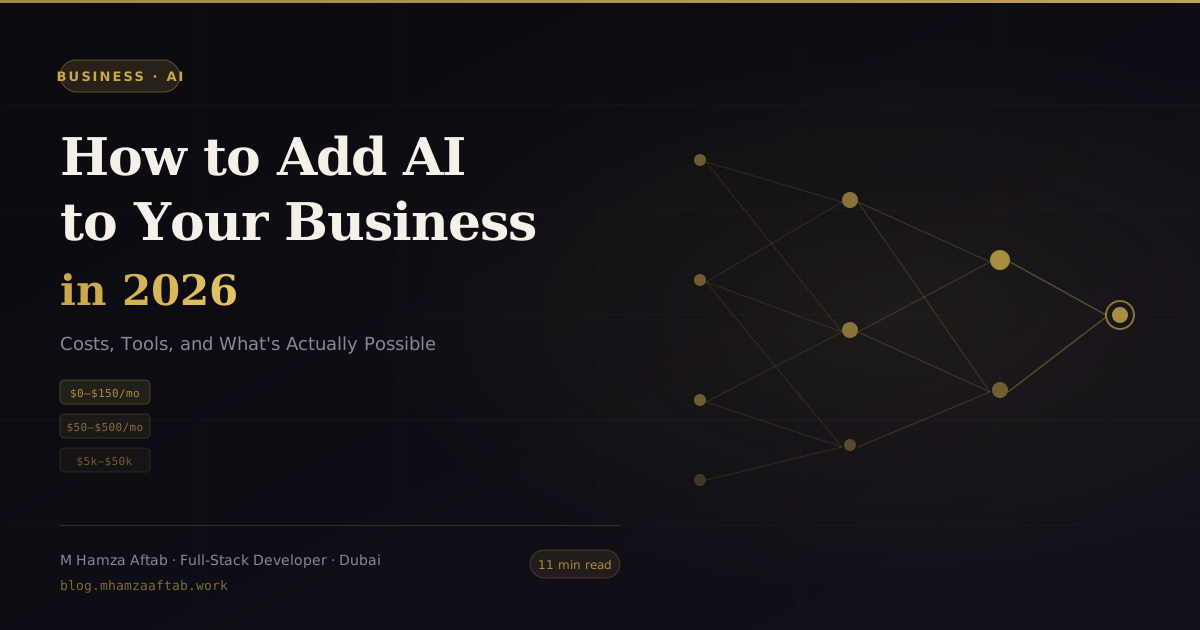
How to Add AI to Your Business in 2026 — Costs, Tools, and What's Actually Possible
A practical guide to adding AI to your business in 2026 — real costs by implementation tier, honest tool comparisons, and a clear framework for what's actually worth doing. Written by an AI developer.

This article may contain affiliate links. See our Disclaimer for details.
Your competitors are adding AI. Your team keeps sending you articles about it. You've tried ChatGPT, maybe even bought a subscription. Now everyone's asking the real question: what do you actually do next?
I build custom AI integrations for businesses — using the Claude API, OpenAI API, and retrieval-augmented generation systems — so I see this problem from both ends. Founders who've spent six months researching and founders who've already wasted $30,000 on the wrong approach. I've built Tier 3 integrations for UAE businesses in logistics, professional services, and SaaS — and the same pattern of mis-investment shows up across all of them. This guide gives you specific cost numbers, honest assessments of what works at each budget level, and a clear framework for knowing how to add AI to your business without overspending or undershooting.
Adding AI to your business means picking a point on a spectrum: subscribing to AI features already inside the tools you use ($0–$150/month), building no-code automations between AI services ($50–$500/month), commissioning a custom integration built by a developer ($5,000–$50,000), or training a proprietary model ($50,000+). Most SMBs get real results at the first two tiers and only need the third when their data or workflow is genuinely unique.
What "Adding AI" Actually Means (and What It Doesn't)
Most business owners assume "adding AI" means building something from scratch — a complex technical project requiring months of development. That misunderstanding is expensive in two directions: some overspend on custom builds they didn't need, and others dismiss AI entirely because the build cost sounds prohibitive.
The reality is a spectrum with four distinct categories.
AI-powered SaaS tools are products you already pay for that have added AI features — HubSpot's content assistant, Notion AI, Intercom's chatbot, Zendesk AI. You flip a toggle or upgrade a plan. No technical work required.
No-code AI automation means connecting AI services (usually via the OpenAI or Anthropic API) to your existing tools through platforms like Zapier, Make (formerly Integromat), or n8n. You can build a workflow that automatically drafts email replies, categorises support tickets, or summarises meeting transcripts — without writing code. The AI is doing real work, but you're configuring it visually.
Custom AI integration is where a developer writes code to connect an AI model directly to your systems — your CRM, your product database, your internal knowledge base. Genuinely differentiated capabilities live here: an AI that knows your product specs, a chatbot trained on your documentation, a document processor built around your compliance requirements.
Custom model development — fine-tuning a base model or training a proprietary one — is almost never the right answer for an SMB. The data requirements alone (tens of thousands of labelled examples, minimum) rule most businesses out before the $50,000+ price tag even enters the conversation.
The Four AI Implementation Tiers — and What Each Costs
Here's the full breakdown, including the honest ceiling of what each tier can actually deliver.
| Tier | Tools | Monthly Cost | One-time Dev Cost | Best For | Honest Ceiling |
|---|---|---|---|---|---|
| 1 | AI features in existing SaaS | $0–$150/month | $0 | Standard tasks inside one tool | Can't cross tools; no proprietary data |
| 2 | No-code AI automation | $50–$500/month | $0–$2,000 (setup) | Multi-tool workflows, simple chatbots | Breaks at edge cases; limited data access |
| 3 | Custom AI integration | $100–$800/month (API costs) | $5,000–$50,000 | Proprietary data, complex logic | Requires ongoing maintenance |
| 4 | Custom model development | $2,000–$10,000+/month | $50,000–$200,000+ | Proprietary IP, highly regulated data | Very rarely justified for SMBs |
Tier 1 — AI Features Inside Tools You Already Use ($0–$150/month)
This is the fastest path to a working result, and most businesses underuse it. Before commissioning any development work, audit what your current subscriptions already include.
HubSpot AI can draft email sequences, score leads, and summarise contact timelines. If you're on a Sales Hub or Marketing Hub plan, these features are available today.
Notion AI summarises pages, drafts documents, and extracts action items from meeting notes. At $10/user/month as an add-on, it's the cheapest AI writing assistant available inside a structured workspace.
Microsoft Copilot (M365 Business Premium add-on, ~$30/user/month) integrates across Word, Excel, Outlook, and Teams. For businesses already on the Microsoft stack, it's the highest-value AI dollar at this tier.
Google Workspace AI — Gemini features across Docs, Gmail, Sheets, and Meet — is included at the Business Standard tier ($14/user/month) and above.
Intercom AI and Zendesk AI both handle first-contact customer support resolution rates in the 40–60% range for businesses with well-documented help centres. Setup time is typically two to four weeks.
One thing to know going in: Tier 1 tools can only access data inside their own platform. They cannot pull from your custom database, check your product inventory, or access information across multiple systems simultaneously. For a lot of businesses, that's fine. For others, it's exactly the constraint that pushes them to Tier 3.
Tier 2 — No-Code AI Automation ($50–$500/month)
Platforms like Zapier AI, Make (Integromat), n8n, and Voiceflow let you build multi-step workflows where an AI model does real processing work — summarising, classifying, drafting, extracting — as part of a larger automated sequence.
A common setup: a customer submits a support form → Make sends the text to the Claude API → Claude categorises the issue and drafts a reply → the draft lands in your team's Slack for one-click approval. No code written. Setup time: one to three days.
Voiceflow specifically handles conversational AI — chatbots, voice agents, customer-facing AI assistants. It's the most practical no-code path to a customer-facing AI product without writing a line of backend code.
Costs at this tier: the platform subscription ($20–$100/month) plus API usage. OpenAI's GPT-4o costs roughly $5 per million input tokens; Anthropic's Claude costs $3–$15 per million tokens depending on the model tier. For most SMB workflows running a few hundred requests per day, API costs stay under $50/month.
The limitation worth understanding: no-code automation breaks on edge cases and complex conditional logic. When something goes wrong — a malformed input, an unexpected API response, a workflow that needs to handle 15 different scenarios — there's no code to debug. It's also limited to data sources the platforms natively support. This is where no-code hits its ceiling and a developer becomes necessary.
Tier 3 — Custom AI Integration Built by a Developer ($5,000–$50,000)
This is where AI stops being a feature you bolt on and starts being a genuine business capability.
A custom integration connects an AI model — usually via the OpenAI API or Anthropic (Claude) API — directly to your systems: your database, your CRM, your document storage, your internal knowledge base. The developer writes the integration layer, builds the retrieval system, handles the data pipeline, and makes sure the output is reliable enough to act on.
The most common project type at this tier is a RAG system (retrieval-augmented generation): an AI that answers questions by actually searching your own documents or data before generating a response. This is how you get an AI that knows your product specs, your pricing, your customer history, or your internal policies — without the hallucination risk of asking a general-purpose model.
Developer costs for Tier 3 work in Dubai typically run $5,000–$12,000 for a focused integration (one use case, clean data, clear scope) and $20,000–$50,000 for a multi-system integration with a production-grade interface. If you're thinking about building an AI-powered MVP around a novel use case, this is the tier that covers it.
Monthly running costs after build: API usage ($100–$800/month depending on volume) plus hosting ($50–$200/month for the integration infrastructure).
Tier 4 — Custom AI Model Development ($50,000–$200,000+)
Fine-tuning or training a proprietary model makes sense when you have a very specific task, a massive proprietary dataset, and a business reason why general-purpose models won't do.
For most SMBs, the honest answer is: you don't need this. The general-purpose models available through the OpenAI and Anthropic APIs are extraordinarily capable with good prompting and retrieval architecture. A well-built Tier 3 system will outperform a badly conceived Tier 4 project at a fraction of the cost.
The exceptions: highly regulated industries (healthcare, finance, legal) with data sovereignty requirements, or businesses with genuinely unique task types where the base models demonstrably fail.
The Five AI Use Cases with the Best ROI for SMBs
These are ranked by realistic ROI — not alphabetically, not by what's most exciting. The ranking is based on implementation cost, time-to-value, and how often businesses actually see the results they expected.
1. Customer service automation Resolving first-contact support tickets without human involvement is the highest-ROI AI application for most businesses with a meaningful support volume. A well-configured AI — connected to your help documentation and product data — handles 40–70% of tickets autonomously. Tier 1 (Intercom/Zendesk AI) covers businesses with a good help centre; Tier 3 is the right call for complex product domains. The caveat that actually matters: it fails badly on edge cases and escalations unless you build clear handoff logic. Don't automate support without a tested escalation path. The damage from a customer stuck in an AI loop is real.
2. Content drafting and repurposing Blogs, email campaigns, social posts, product descriptions — AI drafts, your team edits. The productivity gain is real. A 3,000-word article that used to take five hours now takes ninety minutes. Tier 1 tools (Notion AI, HubSpot AI) or standalone products like Claude.ai or ChatGPT both work here. What to watch: the first draft is usually generic. You still need someone who knows the brand voice and the audience. Without that editing pass, the output reads exactly like what it is.
3. Internal knowledge search (RAG) Consistently underestimated. Most businesses have enormous amounts of institutional knowledge locked in PDFs, wikis, Notion pages, Slack threads, and Google Docs that employees can't find efficiently. A RAG system lets your team ask natural-language questions and get answers sourced from your actual documentation — not a general model's guess. Requires Tier 3 (no no-code tool does this reliably). Build time: four to eight weeks. ROI is measurable in hours per week saved across the team. One constraint that derails more projects than anything else: if your documentation is disorganised or outdated, the AI surfaces disorganised, outdated answers. Garbage in, garbage out — just faster.
4. Document processing Extracting structured data from invoices, contracts, application forms, or reports. The AI reads the document, pulls the relevant fields, and pushes them into your system — replacing hours of manual data entry per day. Tier 2 (Make or n8n with an AI step) handles standard document types; Tier 3 for complex or variable formats. Accuracy on documents with inconsistent formatting — handwritten fields, complex tables, non-standard layouts — is still unreliable enough to require human review. Plan for that in your workflow, not around it.
5. Sales personalisation Generating personalised outreach based on prospect data: their role, company size, recent news, stated pain points. Clay combined with AI enrichment and Make automation covers most Tier 2 implementations; Tier 3 if you need it embedded directly in your CRM. The underlying constraint: personalisation is only as good as the input data. If your CRM is full of incomplete records, you get hollow personalisation — which converts worse than a decent generic email. Fix the data before you automate the outreach.
What AI Cannot Do in 2026 — The Honest Section
Every vendor in this space has an incentive to paper over the limitations. I don't. Here's what AI genuinely cannot do, stated plainly.
It cannot access your internal data without explicit integration. When you open ChatGPT and ask it about your business, it has no idea what your business does. It's generating plausible text from its training data. For it to know about your products, your customers, your processes, or your policies, someone has to build the connection. That's a Tier 3 project, not a checkbox.
It will hallucinate without retrieval grounding. General-purpose language models generate text by predicting what comes next — they don't retrieve facts from a verified source. When they don't know something, they don't say so; they generate plausible-sounding text that may be wrong. A customer-facing AI that hallucinates your pricing, your return policy, or your product specs creates real business liability. The solution is RAG — but RAG requires integration work. You cannot solve this with better prompting alone.
It cannot replace human judgement on consequential decisions. AI can surface relevant information, draft options, and flag anomalies. It cannot evaluate trade-offs, apply ethical judgement, or take responsibility for an outcome. Any workflow where the AI's output directly drives a high-stakes decision — a hire, a major contract, a medical recommendation — needs a human in the loop. That is not a limitation the next model release will fix.
Current agents need oversight. Agentic AI — systems that take sequences of actions autonomously — is genuinely impressive and genuinely unreliable. An AI agent browsing the web, writing and executing code, or managing files will fail in unpredictable ways. The state of the art in 2026 is "supervised automation," not autonomous operation. Anyone selling you a fully autonomous AI agent for production business use without extensive human review is selling you something that hasn't shipped yet.
It cannot learn from your business automatically. LLMs don't update their knowledge from conversations — every session starts fresh. The model that answered your customer's question yesterday didn't learn anything from that interaction. Persistent learning requires explicit fine-tuning or retrieval system updates, both of which require engineering work.
Regulated industries need compliance architecture, not just AI. Healthcare, finance, legal, and insurance businesses cannot treat AI as a drop-in solution. Data residency, model auditability, output traceability, and PII handling all require explicit architecture decisions before any AI goes near sensitive data. The AI capability is usually the easy part. The compliance wrapper is where most of these projects get complicated.
If your use case runs into any of the limitations above — your AI needs to access internal data, you're worried about hallucination on customer-facing outputs, or you're in a regulated industry — those aren't problems a no-code tool solves. They're scoping conversations. Reach out and I'll tell you honestly whether your use case needs a developer or whether a Tier 1 or Tier 2 tool already covers it.
Do You Need a Developer to Add AI to Your Business?
The short answer: depends which tier your use case belongs to.
When You Don't Need a Developer (Tier 1 + Tier 2)
If the task lives inside a single tool you already use, you almost certainly don't need a developer. Enable the AI features, follow the documentation, give it a few weeks of real use. The same applies to standard multi-tool workflows — drafting emails based on CRM data, summarising forms, categorising feedback — that no-code platforms handle well.
Budget: $0–$500/month. Timeline: days to a few weeks.
When You Do Need a Developer (Tier 3 + Tier 4)
You need a developer when the use case requires access to proprietary data, systems that no-code platforms don't natively support, or accuracy requirements that make edge-case failures costly. A customer-facing AI that queries your live inventory. A document processor that handles thirty different form layouts. An internal assistant that searches across your CRM, your documentation, and your project management system simultaneously.
Whether you go with a freelancer or an agency for Tier 3 work matters too — the answer shapes both your timeline and your budget. The decision between a freelancer and an agency is worth thinking through before you get quotes. And before you sign anything, running through what to check before hiring an AI developer will save you from the common mis-hires.
Three Questions That Tell You Which Camp You're In
- Does the AI need access to data that only lives in your internal systems? If yes, you need a developer.
- Do the systems involved have APIs that no-code platforms natively support? If no, you need a developer.
- What's the cost of a wrong output? If an AI error creates a customer-facing problem, a compliance issue, or a financial loss, you need a developer to build the guardrails — not a no-code flow that breaks silently.
Three questions, and most projects answer themselves by the second one.
If you answered yes to any of these, run your use case past me before you commission anything — I'll give you an honest read on scope, realistic cost, and whether the approach you're considering will actually work.
How to Actually Start — A Four-Step Process
This is the process I walk clients through when they want to add AI to their business but don't know where to begin.
Step 1: Identify one high-repetition task that costs 3+ hours per week. Not "use AI for marketing." Specifically: which task, done by whom, taking how long, producing what output. The narrower the scope, the faster the result. Start with a single task that has a clear input and a clear expected output. Generality is where AI projects go to die slowly.
Step 2: Audit whether a Tier 1 or Tier 2 tool already handles it. Before commissioning any development work, spend 30 minutes checking whether a tool you already pay for has an AI feature that covers it. If not, check whether Zapier, Make, or n8n can connect the relevant services with an AI step in the middle. The answer is yes more often than most founders expect.
Step 3: Run a two-week test with real data. Don't evaluate AI on synthetic examples or demo scenarios. Give it the actual inputs from your actual workflow and measure the output against what your team produces manually. Track accuracy, time saved, and error rate. Two weeks is enough to find the edge cases that demos hide — and demos always hide the edge cases.
Step 4: Productionise with appropriate guardrails — or move to the next candidate. If the test works: add human review checkpoints for high-stakes outputs, document the failure modes you found, and set a review date to assess whether it's still working after 60 days. If the test fails: document why, and move to the next candidate task. Don't chase a failing use case. The right application for your business exists; it just might not be the first one you tried.
A proof-of-concept approach — testing the smallest version of the idea before committing to a full build — applies here exactly as it does to product development. The discipline is the same.
Frequently Asked Questions
How much does it cost to add AI to a business?
It depends on the implementation tier. AI features inside existing SaaS tools cost $0–$150/month with no development work. No-code AI automation costs $50–$500/month in platform and API fees. Custom AI integrations require $5,000–$50,000 in development plus $100–$800/month in ongoing API and hosting costs. Most SMBs see meaningful results at the first two tiers before ever needing custom development.
Do I need a developer to add AI to my business?
Not necessarily. If your use case fits Tier 1 or Tier 2 — AI features inside an existing tool, or a multi-tool workflow built in Zapier or Make — you don't need a developer. You need a developer when the use case requires access to proprietary internal data, systems that no-code platforms don't support, or reliability standards that make automated errors costly.
What are the best AI tools for small businesses in 2026?
For internal productivity: Microsoft Copilot (M365 users), Notion AI (knowledge workers), Google Gemini (Google Workspace users). For customer service: Intercom AI, Zendesk AI. For automation: Make (Integromat), n8n, Zapier AI. For custom integration: Claude API (Anthropic) and OpenAI API. The right choice depends on your existing stack and the specific task — there's no single best tool across all use cases.
How long does it take to add AI to a business?
Tier 1 features (toggle-on AI in existing tools): days. Tier 2 no-code automation: one to four weeks including testing. Tier 3 custom integration: six to sixteen weeks depending on scope and data readiness. The biggest variable is usually data: clean, well-structured data in accessible systems cuts development time significantly; fragmented or undocumented data adds weeks.
What can AI not do for my business?
AI cannot access your internal systems without explicit integration. It cannot reliably recall information from previous conversations — no persistent memory by default. It will generate plausible but incorrect answers when it lacks sufficient context; this is the hallucination problem. It cannot operate autonomously without human oversight in production environments. And it cannot replace human accountability for consequential decisions.
Is AI worth it for small businesses?
Yes, at the right tier for the right use case. Tier 1 tools are almost always worth the modest upgrade cost if you're already paying for the platform. Tier 2 automation has a clear payback on any task taking 3+ hours per week. Tier 3 is worth it when the use case requires proprietary data access and the business impact justifies the development cost — customer service automation, internal knowledge retrieval, and document processing are the strongest candidates. What's not worth it: building something complex and expensive to solve a problem a $20/month tool already solves.
Ready to Add AI to Your Business?
If you've worked through this guide and your use case lands at Tier 3 or Tier 4 — it requires your proprietary data, custom integration work, or reliability guarantees that no-code can't deliver — I can help you scope it.
I build custom AI integrations using the Claude API, OpenAI API, and RAG systems for businesses that need AI to work reliably on their specific data and workflows. If the honest answer is that Tier 1 or Tier 2 covers your needs, I'll tell you that in the first conversation.
A 30-minute call is usually enough to arrive at a real cost estimate and a clear recommendation on which tier your use case actually belongs to. Whether you're also deciding on the web or mobile platform for your AI feature, or assessing the right proof-of-concept approach before committing to a full build — that conversation costs nothing.