How to Build a SaaS Product: A Founder's Step-by-Step Guide (2026)
A practical guide to building a SaaS product in 2026 — validation, B2B vs B2C traps, build path, tech stack, real costs, and what actually takes time.

This article may contain affiliate links. See our Disclaimer for details.
A founder came to me six months ago with a finished product — 14 screens, three user roles, a mobile app, seven months of their development team's work. In their first five B2B demos, every prospect asked the same three questions: subdomains, admin-controlled team access, Okta integration. The answer to all three was no.
The rebuild cost more than the original product had.
That is the most common way founders get burned when learning how to build a SaaS product: optimising for the wrong customer type before a line of code gets written. Everything downstream from that decision is expensive to undo. This guide covers validation, the B2B vs B2C decision, your build path, the tech stack as it exists in 2026, honest cost ranges, and a realistic timeline.
What Makes SaaS Different From a Regular Web App
SaaS — software as a service — means customers access your product through a browser or mobile app on a recurring subscription, and you host and maintain it permanently. You do not ship a codebase. You do not hand off files. You run the software, manage uptime, and keep every customer's data intact.
That changes what you need to build in ways that are not obvious upfront.
A regular project ends when you deliver the code. A SaaS product is a live system: it needs to keep running 24/7, get updated without breaking existing customer accounts, and handle multiple customers' data simultaneously on shared infrastructure. That last point — shared infrastructure with isolated data — is multi-tenancy. Get it wrong early and you are not debugging a feature; you are rewriting your data layer.
The subscription revenue model also changes the product design. Your retention rate matters as much as your acquisition rate. A 5% monthly churn means you replace your entire customer base roughly every 20 months. That is a product problem before it is a marketing problem. The features you build to improve churn (onboarding, in-app guidance, usage analytics) are not optional extras — they are core infrastructure.
B2B vs B2C: Why This Decision Changes Everything
This is the decision most founders treat as a marketing question. It is actually an architectural one. B2B SaaS and B2C SaaS require fundamentally different codebases. Building the wrong one and pivoting later is expensive — sometimes as expensive as starting from scratch.
Here is what changes:
| Dimension | B2B SaaS | B2C SaaS |
|---|---|---|
| Auth | SSO / SAML, enterprise login (Okta, Azure AD) | Email, social login, magic link |
| Multi-tenancy | Required — strict data isolation per org | Rarely needed |
| User management | Org admin controls seats, roles, permissions | Individual account |
| Pricing model | Per seat, usage-based, annual contracts | Freemium, monthly/annual plans |
| Sales cycle | 2–12 weeks (procurement, legal, IT sign-off) | Minutes to hours (self-serve) |
| Onboarding | Often assisted, sometimes white-glove | Must be fully self-serve |
| Compliance | SOC 2, GDPR, PDPL, security questionnaires | GDPR, basic data handling |
| Churn dynamics | Low (customers are locked in by contract, data) | High (2–5% monthly is typical) |
| Support expectation | SLA, dedicated channels, escalation paths | Help docs, community, email |
| Growth model | Sales, outbound, partnerships | Viral loops, SEO, paid social |
Look at the auth row. B2C works fine with email and Google login. B2B enterprise customers require SSO — and SSO is not just a feature, it is a third-party service (Okta, Microsoft Entra, OneLogin) that needs a specific integration. Clerk handles this at the SDK level with enterprise add-ons. Building it custom adds $5,000–$15,000 to your development budget and weeks to your timeline.
Look at the compliance row. If you are selling to mid-market or enterprise B2B, you will eventually face a security questionnaire. These ask about data encryption, penetration testing, audit logs, backup procedures, and incident response. None of that is in a typical MVP scope. Not having it kills deals.
Get this decision right before you write a line of code. Your target customer's profile — company or individual, buying on card or purchase order, one user or a team — determines more about your technical requirements than any feature list.
Validate Before You Build
The instinct when you have a SaaS idea is to start speccing the product. The smarter move is to spend 60–90 days proving demand before you build anything.
Most SaaS products that fail do not fail because they were poorly built. They fail because the market was wrong, the price was wrong, or the distribution was harder than expected. None of those problems get solved by better code.
The Concierge MVP approach is the most underused validation method in software. Instead of building the feature, you do it manually. If you are building a SaaS that automates B2B invoice matching — match invoices manually using spreadsheets and email for your first 10 customers. Charge them for it. The point is not to scale yet. The point is to confirm that the problem is real, that people pay for the solution, and that your manual process reveals the exact features worth automating.
Paul Graham calls this "doing things that don't scale." The founders who do this systematically almost always build better products than those who skip it. You discover edge cases, pricing resistance, and onboarding friction in a week of manual work that takes months to discover in a shipped product.
Practical validation steps before you build:
- Talk to 20 potential customers. Not friends with opinions — people who have the problem you are solving and budget to pay for a solution. Ask about their current workflow, what they hate about it, and what they currently pay to solve it.
- Build a landing page and collect pre-signups or waitlist commitments. Tools: Carrd or Webflow, a Typeform, a Stripe payment link for pre-orders.
- Run a manual playbook for 5–10 customers. Do what your software will eventually automate. Charge for it.
- Get 3–5 paying customers (or signed letters of intent from B2B prospects) before you commit to a full build.
That last threshold matters. One paying customer could be a favour. Three to five is a signal. If you cannot get anyone to pay — even a nominal amount — for the manual version of your product, the software version is unlikely to perform better.
For a deeper walkthrough of pre-build validation methods, the guide on how to validate an app idea covers the full process including the 7-day sprint framework.
Choose Your Build Path
Once you have validated demand, you face the first major technical decision: how do you build the product?
There are three realistic options. Each has a different cost structure, timeline, and ceiling.
| Build Path | Best for | Avoid when | Approximate cost |
|---|---|---|---|
| No-code (Bubble, Webflow + Memberstack) | Pre-PMF validation, non-technical teams, tight budget | B2B enterprise features, complex data relationships, scaling past ~500 active users | $2k–$15k |
| AI builders (Bolt.new, Lovable, Replit Agent) | Prototypes, demos, internal tools, investor previews | Revenue-critical products, anything customers depend on daily | $0–$5k |
| Custom development | Revenue-ready product, B2B SaaS, complex workflows, post-PMF scaling | You have not validated the idea yet and are using build cost as a reason to skip that step | $25k–$150k+ |
The question founders get wrong is treating this as a permanent decision. It is not. Many successful SaaS companies started on no-code to validate, then rebuilt custom once they had paying customers and a clear spec. The migration cost is real ($40k–$80k typically), but it is cheaper than building custom before you know what to build.
No-code has a clear ceiling though. Multi-tenancy, SSO, custom billing logic, and high-volume data processing all hit hard limits on no-code platforms. If your B2B roadmap includes any enterprise features, plan to migrate before you need them — not after a customer demands them.
For a detailed comparison of when no-code stops working and what migration actually costs, no-code vs custom development covers that trade-off in depth.
If you are evaluating AI builders specifically, the honest breakdown of what they can and cannot ship is in can AI build my app.
The SaaS Tech Stack in 2026
If you are going the custom development route, here is what a production-ready SaaS stack looks like in 2026. This is not a comprehensive list of every option — it is the stack that minimises development time, maintenance overhead, and third-party risk for most founder-stage SaaS products.
| Layer | Recommended options | Notes |
|---|---|---|
| Frontend | Next.js (React) | App Router, server components, built-in API routes — reduces the need for a separate backend for most use cases |
| Backend | Next.js API routes / Hono / Node.js | Hono is worth considering for complex APIs; Python if your product requires ML processing |
| Database | Supabase (PostgreSQL) | Managed Postgres with built-in auth helpers, real-time subscriptions, and row-level security for multi-tenancy |
| Authentication | Clerk | Best-in-class for SaaS — handles email, social, SSO, org management, and MFA out of the box |
| Payments / billing | Stripe (global) / Paddle (merchant of record) / LemonSqueezy (simpler) | Stripe for complex billing; Paddle or LemonSqueezy if you want them to handle tax and compliance |
| Infrastructure | Vercel (frontend) + Supabase (backend) | Zero-ops deployment, global edge network, generous free tier to start |
| Resend / SendGrid | Resend is the modern choice for transactional email with good deliverability | |
| Storage | Supabase Storage / AWS S3 | Supabase is fine for most SaaS; S3 if you are handling large volumes |
| Monitoring | Sentry (errors) + Vercel Analytics / PostHog | PostHog doubles as product analytics — worth using from day one |
One important call-out on authentication: Clerk is not free at scale (pricing starts escalating past ~10,000 monthly active users), but it saves 3–6 weeks of development time building auth from scratch. For a founder-stage product, that trade-off is almost always worth making. You can migrate later. You cannot get those weeks back.
Core Features Every SaaS Product Needs
Regardless of what your product does, the same baseline has to exist before any of it works. These are not your product's features. They are what your product runs on.
Authentication and user accounts. Email/password, social login (Google at minimum), and password reset. For B2B: add SSO from the start if your target customers are mid-market or enterprise. Retrofitting SSO into an existing auth system is painful.
Subscription billing. Stripe Billing handles most of the mechanics — but it does not run itself. You still need logic that responds to webhook events (payment failed, subscription cancelled, trial ending) and updates your database accordingly. That is before you deal with plan upgrades and downgrades (prorated or end-of-period?), failed payment recovery sequences, annual vs monthly billing, trial periods, coupon codes, and refunds.
Multi-tenancy. For B2B SaaS, this is non-negotiable. Your data model needs to cleanly isolate one customer's data from another's. This is usually done with an organization_id foreign key on every table plus row-level security policies at the database level. Getting this wrong early creates security vulnerabilities and compliance failures that are hard to audit and hard to fix.
Dashboard and core feature set. This is whatever your product actually does. The mistake is building this first. Auth, billing, and multi-tenancy come first. Your core feature is worthless if there is no way to pay for it, no way to log in, and no isolation between customers.
Onboarding flow. The moment after sign-up is where most SaaS products lose users. A well-designed onboarding flow — progress indicators, empty state guidance, sample data, a quick-win task — meaningfully improves activation rates. This is not a marketing nice-to-have. Your churn math depends on it.
Admin panel. You need a way to view accounts, manage subscriptions, troubleshoot customer issues, and push data fixes without writing SQL queries by hand. This is often the last thing founders think to build and the first thing they wish they had.
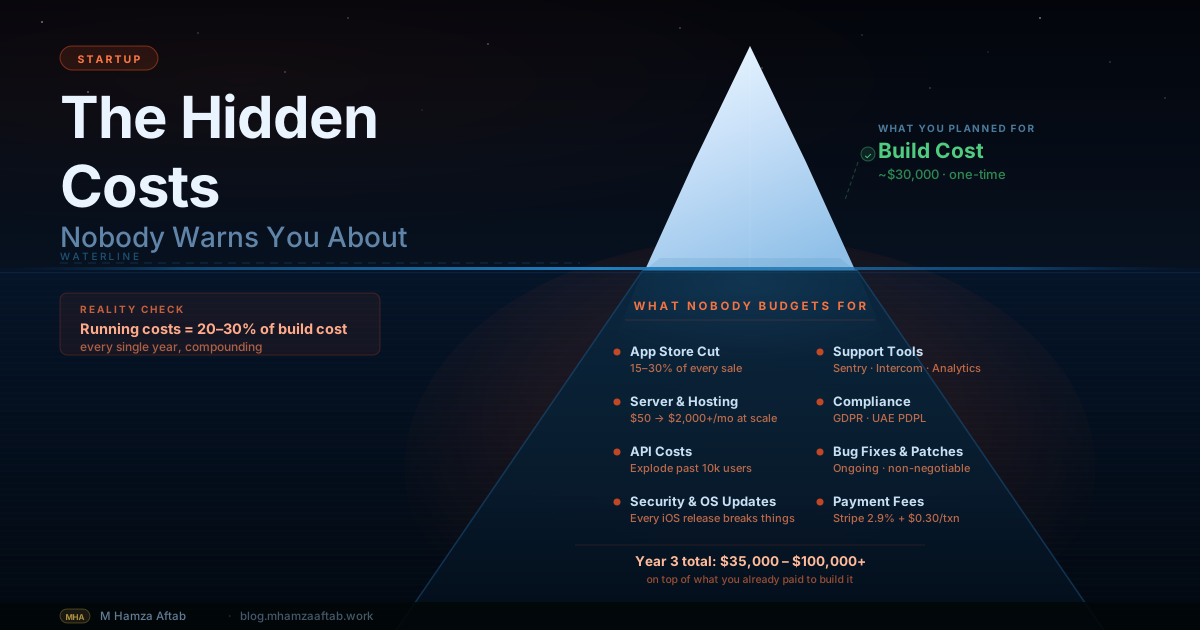
How Much Does It Cost to Build a SaaS Product?
Cost depends on complexity, who you hire, and what shortcuts you take. Here are realistic ranges for the custom development path in 2026, assuming a senior developer or small, experienced team.
| Tier | What's included | Approximate cost (USD) |
|---|---|---|
| Simple SaaS MVP | Auth, Stripe billing (1 plan), 1 core feature flow, basic dashboard | $15,000–$35,000 |
| Standard SaaS | Auth + SSO, 2–3 billing plans, 3–5 core features, multi-tenancy (org model), admin panel | $40,000–$80,000 |
| Complex / B2B SaaS | Full org management, SAML SSO, usage-based billing, audit logs, integrations (Zapier, API, webhooks), advanced analytics | $80,000–$200,000 |
| Enterprise-ready | SOC 2 Type II evidence, custom SLAs, penetration testing, dedicated environments, white-labelling | $200,000+ |
A few cost drivers that founders consistently underestimate:
Multi-tenancy adds 20–30% to your development time. If you add multi-tenancy as an afterthought, you rewrite most of your data layer. Build it in from day one.
SSO is a project, not a checkbox. Enterprise SSO (SAML, OIDC) integration ranges from $5,000–$15,000 when done properly, including testing with at least two identity providers. Clerk handles the protocol level; you still need the org management UI, the invitation flow, and the admin controls.
Usage-based billing is hard. If your pricing model meters API calls, seats, storage, or events, you need a metering pipeline that counts accurately, stores events durably, and feeds into Stripe (or Stripe's own metering feature). This is not a weekend project.
For a deeper breakdown of what MVP development costs across product types, MVP development cost in 2026 has the full breakdown.
Not sure where your SaaS sits in those cost tiers — or whether your current feature list is inflating the number before you've had a clear technical conversation? A free 30-minute scoping call is usually the fastest way to get from rough idea to a concrete budget range. I'll go through what you're building and give you an honest read on complexity, which tier your product actually sits in, and what belongs in version one versus what can wait. No quote, no sales process.
AI and SaaS in 2026 — What Has Actually Changed
AI has changed the economics of SaaS development — significantly, but not in the way the headlines suggest.
What AI tools (Cursor, Claude, GitHub Copilot) have changed:
- Boilerplate is nearly free. Auth scaffolding, CRUD endpoints, form validation, database schema generation — tasks that used to take days now take hours. A competent developer with Cursor and Claude writes 2–3x faster than one without.
- The gap between a good developer and a great one widened. AI amplifies skill. It generates code faster for everyone, but a senior developer's judgment about architecture, security, and edge cases does not get replaced — it gets more valuable, because the implementation moves faster and the decisions matter more.
- Prototypes come out of nowhere. In 2022, building a functional prototype for an investor demo took a week. Today it takes an afternoon. That changes fundraising dynamics and validation speed.
What AI has not changed:
- Multi-tenancy architecture still requires someone who understands it.
- Billing edge cases (failed payment recovery, proration, mid-cycle changes) are still an area where AI-generated code needs close review.
- Security review — auth flows, data access permissions, API rate limiting, injection vulnerabilities — still requires a developer who understands the attack surface.
- Anything specific to your region (UAE payment gateways, PDPL compliance, Arabic RTL layout) is still outside what generic AI training data handles well.
The practical implication for founders: AI tools have lowered the cost floor of SaaS development, but they have not eliminated the need for experienced judgment on architecture and security. A developer who uses AI well is faster and cheaper than one who does not. That is worth knowing when you are evaluating quotes.
Should You Hire a Developer or Build It Yourself?
Two variables settle it: your technical ability and your product's complexity.
If you can write code competently — not just tutorials, but production code you would not be embarrassed to show — and your product sits in Tier 1 complexity (single-flow web app, minimal integrations, straightforward data model), building it yourself with AI assistance is viable. Budget more time than you think. A non-full-time founder building a SaaS usually takes 12–18 months to reach a state they would call production-ready. That is not a failure mode — it is the reality of building while running a business.
If you cannot write code, or your product requires B2B features, multi-tenancy, or complex integrations, you need a developer. The question then becomes which kind.
A senior independent developer (not a junior freelancer, not a large agency) is usually the right choice for a founder-stage SaaS. They move faster than an agency, cost less, and have the judgment to push back on scope decisions that would inflate the budget without improving the product. The trade-offs and how to evaluate candidates are covered in freelance developer vs agency. Once you know which type to hire, what to know before hiring a developer in Dubai covers the practical vetting process — what to ask, what to check, and what to watch out for.
If you are looking at platforms like Upwork, the fee structure and how to hire directly without platform overhead is in Upwork vs hiring a freelancer directly.
One underused approach: hire a senior developer for the architecture and first build sprint, then hire a more junior developer to maintain and extend once the foundation is solid. The architecture decisions that matter are front-loaded. The ongoing maintenance work is more routine.
The Timeline Reality
There is no such thing as a two-week SaaS MVP. The founders who believe that timeline are either building something too simple to matter, or they have never shipped one before.
Here is a realistic timeline for a standard SaaS MVP built by a single experienced developer, starting from a clear spec:
| Phase | What happens | Realistic duration |
|---|---|---|
| Validation | Customer interviews, landing page, manual testing | 4–8 weeks |
| Design and architecture | UX wireframes, data model, tech stack decisions | 2–4 weeks |
| Core infrastructure | Auth, database, billing, multi-tenancy foundation | 3–5 weeks |
| Feature development | Your actual product features, dashboard, onboarding | 6–12 weeks |
| Testing and bug fixes | Real user testing, edge cases, performance | 2–4 weeks |
| Total | 4–8 months |
For context on what each phase involves and what slows it down, how long it takes to build an app breaks down the timeline in detail.
The most common timeline mistake is treating development as the first phase. Validation comes first — always. A founder who spends eight weeks validating before building always makes better product decisions than one who spends that time in development. The product you end up building after validation is almost never the product you started with. That is a feature, not a failure.
Add a 20–30% buffer to any estimate you receive. Not because developers are bad at estimating — they generally are not — but because requirements always evolve once real users touch the product. Build that buffer into your financial planning from the start.
Frequently Asked Questions
Do I need to write code to build a SaaS product?
No, but it changes your options. Non-technical founders can build SaaS products using no-code platforms like Bubble or Webflow — these are legitimate production tools, not toy prototypes. The ceiling is lower than custom code: you will hit limits around complex data relationships, enterprise B2B features, and high-traffic scaling. If you do not have the budget for a developer and your product does not require those capabilities, no-code is a valid starting point. Many founders validate and grow to $20k–$50k MRR on no-code before committing to a custom build.
What is the difference between a SaaS MVP and a full SaaS product?
An MVP (minimum viable product) is the smallest version of your SaaS that lets a real customer complete the core task you are promising — nothing more. A full product has the full feature set, polish, integrations, and admin tooling. The confusion happens because founders scope their "MVP" at 60–80% of their full vision. A genuine SaaS MVP has auth, billing, one core feature flow that works end-to-end, and basic onboarding. Everything else is v2. For more on this distinction, what is an MVP and how to build one covers the definition and the build process in depth.
How long does it take to build a SaaS product?
A realistic SaaS MVP takes 4–8 months from validated idea to first paying customers on the custom-built product. That includes 4–8 weeks of validation, 2–4 weeks of design and architecture, and 3–5 months of development. No-code can compress the development phase to 4–8 weeks for simpler products. The timeline expands if you are building B2B features (SSO, org management, audit logs) or if your product has complex data relationships. The single biggest timeline accelerator is arriving at development with a clear, detailed spec — scope changes mid-build are the primary cause of overruns.
How much does it cost to build a SaaS product from scratch?
A simple SaaS MVP runs $15,000–$35,000 with an experienced developer. A standard product with multi-tenancy, a few billing tiers, and 3–5 core features runs $40,000–$80,000. Complex B2B SaaS with SSO, usage billing, and enterprise features runs $80,000–$200,000. These assume a senior independent developer or small experienced team — agency rates can add 40–60% overhead. No-code platforms bring the entry point down to $2,000–$15,000 but introduce a migration cost later if you outgrow them. For a detailed breakdown by product type, MVP development cost 2026 has the full picture.
What is multi-tenancy and do I need it?
Multi-tenancy means your application serves multiple customers on shared infrastructure, with each customer's data fully isolated from every other's. It is an architectural decision — not an access control rule you can bolt on later. For B2B SaaS, it is non-negotiable. A data query bug in a system without proper tenancy isolation can expose one customer's data to another — the kind of incident that ends companies. If your customers are individuals rather than teams or companies, you typically do not need it.
What pricing model should I use for my SaaS?
Four models dominate SaaS pricing, and the right one depends on your customer type and value metric. Per-seat pricing (charged per user per month) is the default for B2B SaaS where value scales with team size — it is predictable and easy to explain. Usage-based pricing (charged per API call, per message, per transaction) works well when customers value predictability of unit cost over total cost — common in developer tools and infrastructure SaaS. Flat-rate pricing (one price for everything) is simple but usually underprices high-usage customers. Freemium is a growth strategy, not a revenue model — you need clear feature gates that convert free users to paid or you end up supporting users who never pay. Whichever you choose, the pricing model affects your billing implementation significantly. Usage-based billing is the most complex to build.
Should I build B2B or B2C SaaS?
B2B SaaS generally has higher average contract value ($500–$5,000/year per customer vs $50–$200/year for B2C), lower churn, and a longer sales cycle. B2C SaaS has viral growth potential, faster product iteration, and a lower compliance burden. The architectural difference is the bigger practical concern: B2B requires multi-tenancy, org management, SSO, and compliance readiness. B2C requires viral loops, self-serve onboarding, and a freemium conversion funnel. Building for one and then pivoting to the other is expensive. The question to ask is: who has the problem you are solving, and who has a budget allocated to solve it? If the answer is companies with procurement budgets, build for B2B from day one.
What payment processor should I use for SaaS billing?
For most founder-stage SaaS products, Stripe Billing is the default choice. It handles subscriptions, metered usage, trial periods, proration on plan changes, and failed payment recovery — and has the most comprehensive developer documentation in the space. The trade-off is that you manage your own tax compliance, which becomes a real concern once you are selling to customers in VAT-liable regions.
If global tax compliance is a priority from day one, Paddle or LemonSqueezy act as merchants of record: they collect and remit VAT and sales tax on your behalf at slightly higher fees and with less billing flexibility. For UAE-based founders selling into Europe or other GCC markets, this is worth evaluating early given UAE VAT requirements and the varying tax obligations across regions.
One decision to settle before you pick a processor: do you need usage-based billing? If your pricing model meters API calls, storage, active users, or events, the billing implementation is meaningfully more complex than a flat subscription regardless of which processor you choose. Stripe's metering feature (part of Stripe Billing) reduces the build work substantially, but you still need a reliable event pipeline to feed it. Paddle and LemonSqueezy are better suited to flat-rate and per-seat pricing; usage-based billing is harder on both platforms.
Ready to Build Your SaaS?
The rebuild cost more than the original. That is not an unusual story — it is what happens when multi-tenancy, SSO, and billing infrastructure get retrofitted into a codebase that was not designed for them. The founder at the start of this guide lost seven months and their entire first build budget to that decision.
I build production B2B SaaS full-stack — Next.js, Supabase, Clerk, and Stripe Billing — with multi-tenancy and SSO in from the start, not added after the first enterprise customer asks for it. Projects run from scoping call to deployment. The code is yours; any developer can extend it after.
If you have a validated idea and want an honest read on what it actually needs before you commit to a budget, I am currently taking new projects for Q3 2026. No sales process, no proposal deck — just a conversation. Talk through your SaaS →